shotgames.io
English

iPad

Wedding Kiosk

Turns an iPad into a couple's interactive wedding story and private guestbook.

Screenshots

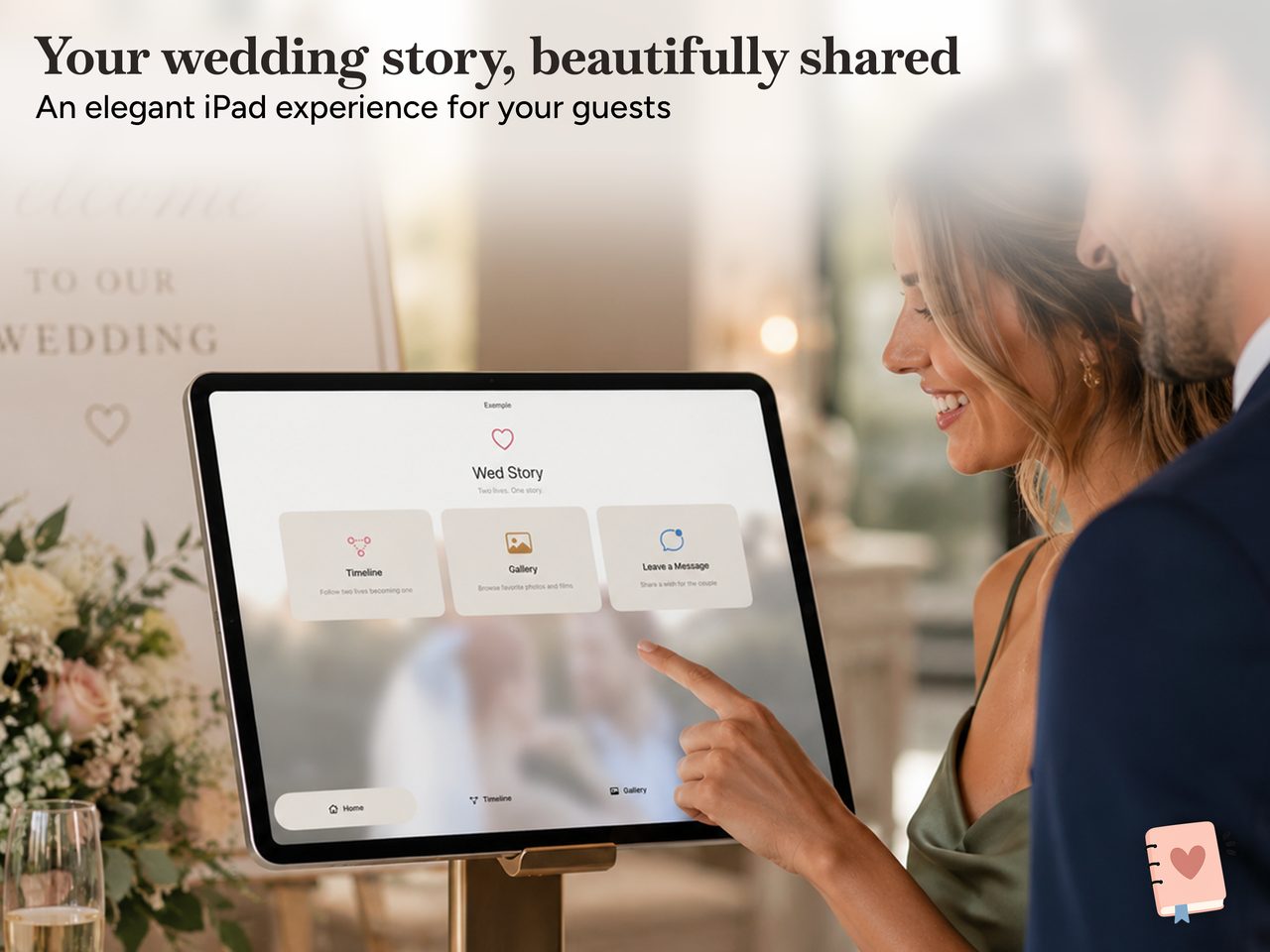
Wedding Kiosk guest home on an iPad at a wedding: a Timeline, Gallery, and Leave a Message screen.
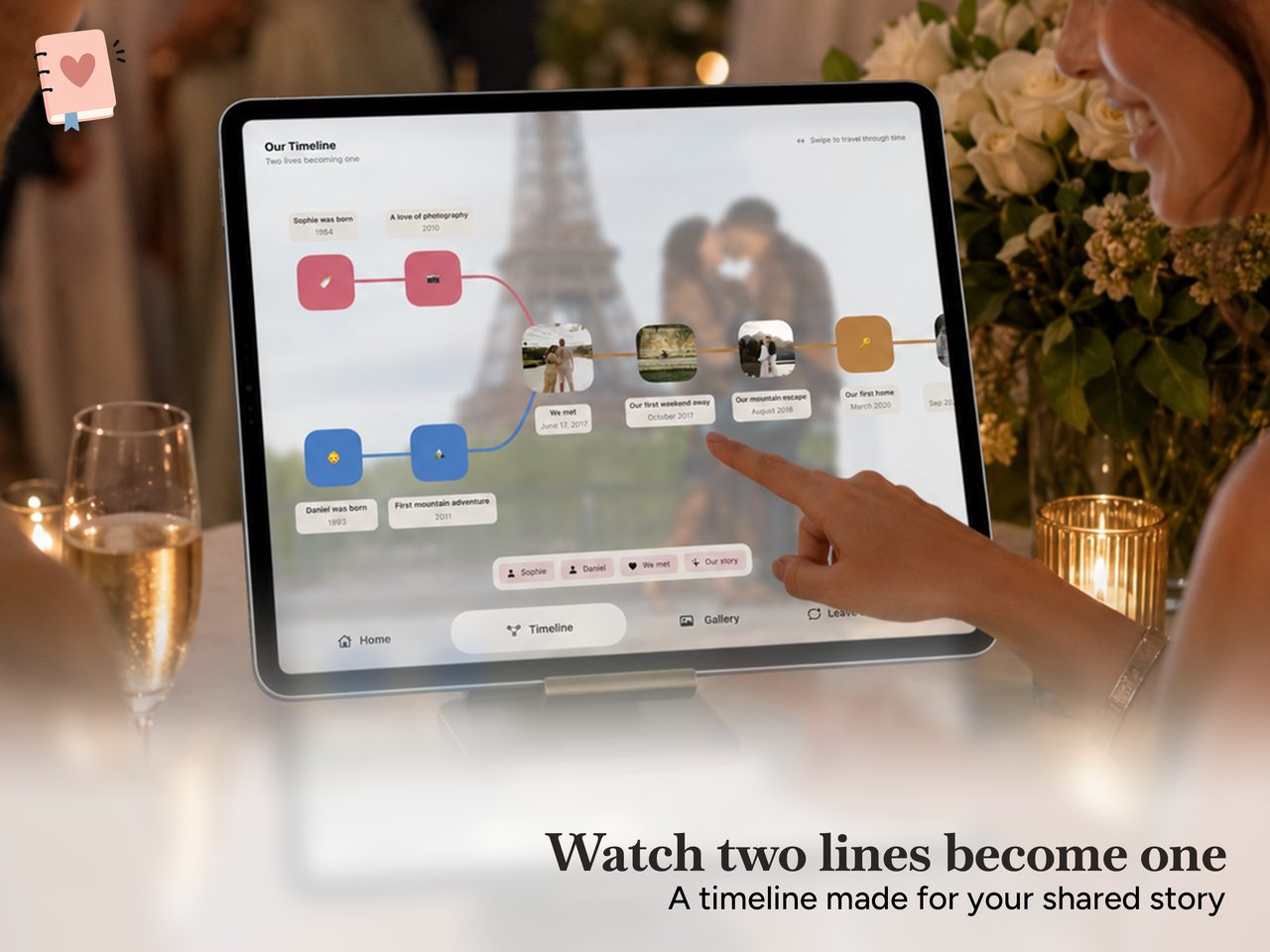
Wedding Kiosk's two-life timeline: both partners' lines meet where the couple met.
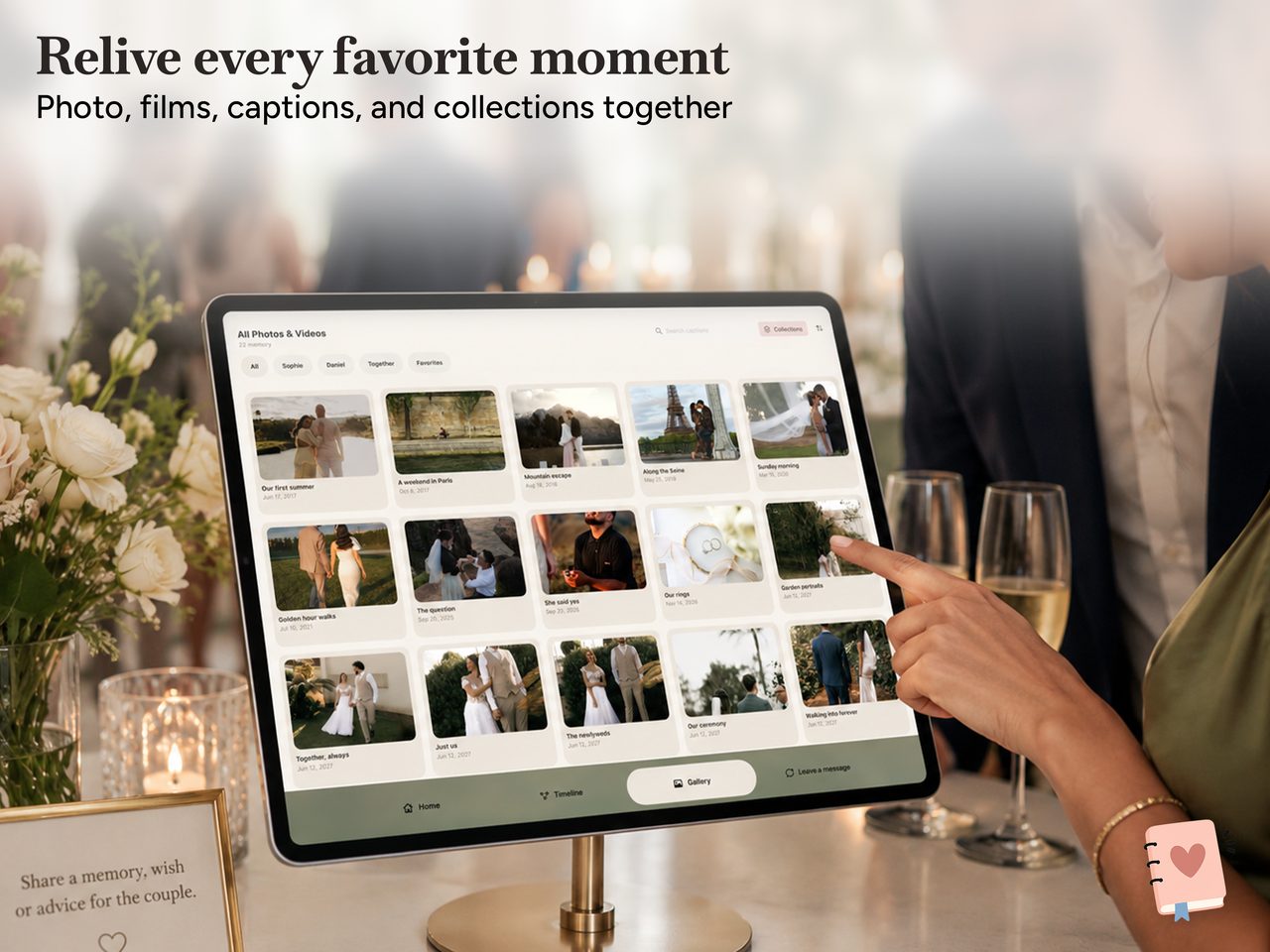
The Wedding Kiosk gallery of photos and films, browsable by person, favourites, or collection.
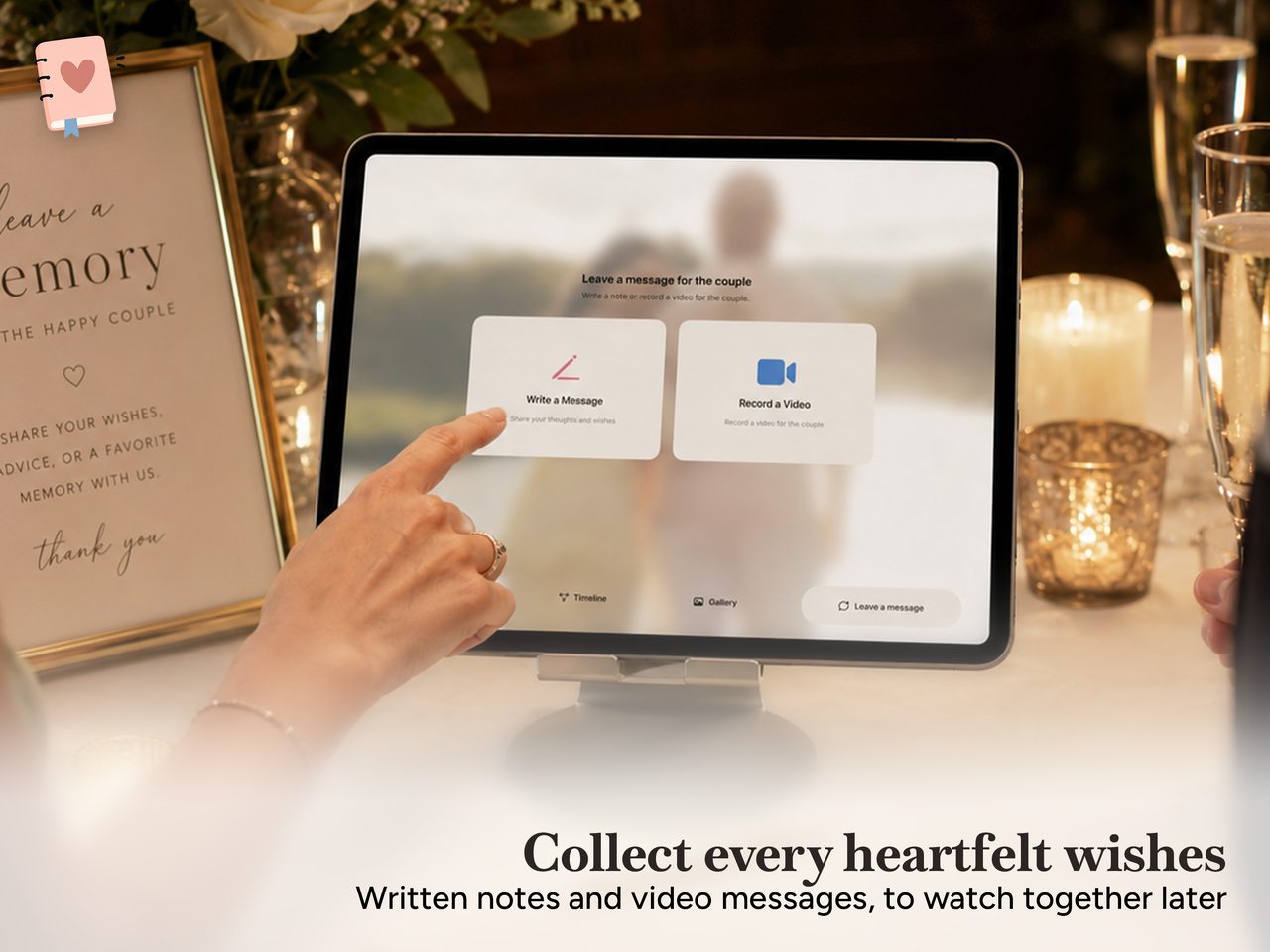
The Wedding Kiosk guestbook: a guest leaving a written note or video message for the couple.

How it works

Build the story, then hand it to the guests.

The organiser tools and the guest experience are two halves of one app. You prepare everything in advance, then lock it into Wedding Mode for the venue.

Before the day

Prepare the couple's story on your own iPad, at your own pace.

  • A two-life timeline: both partners begin on their own line, the lines meet where the couple met, and the shared story runs to the wedding
  • Add milestones with a title, date, emoji, photo, or video
  • Import photos and videos from Apple Photos or Files, then caption and group them into collections
  • Turn favourite memories into a full-screen slideshow with presets and transitions

On the day

Wedding Mode gives guests a clean, focused screen and keeps your tools out of reach.

  • Guests explore the timeline, browse the gallery, and watch the slideshow
  • The slideshow starts on its own when the iPad is idle, and a tap returns to the experience
  • Enable or disable each feature per wedding
  • An organiser PIN protects the editing tools, with a privacy cover if the app is interrupted

Make it yours

Set the tone of the whole day.

Twelve colour themes, six typography combinations, and a choice of flat, gradient, or material styling carry through every organiser and guest screen. Set the background, the slideshow transitions, the navigation position, and the shape of the timeline pins.

Twelve colour themes

Champagne
Provence
Terracotta
Romantic
Coastal
Modern Monochrome
Forest
Rooted Romance
Berry Editorial
Mediterranean Sun
Black Tie
Sapphire Evening

Six typography combinations

  • Editorial Baskerville titles with clean Avenir text
  • Romantic Script Script titles with a refined sans-serif for text
  • Modern A crisp rounded system family throughout
  • Timeless Georgia titles with classic, readable paragraphs
  • Luxe Didot titles with elegant Avenir text
  • Organic Cochin titles with warm Optima text

The guestbook

Messages the couple keep.

Guests can leave a written note or record a private video message with the front camera, in landscape or portrait. Every contribution lands in the organiser's inbox, ready to play back or present to the newlyweds in a guestbook slideshow. Nothing is posted anywhere public.

Private and offline

Projects, imported media, and guest messages are stored locally in the app's private container on the iPad. The experience works offline after setup, there is no account, and Wedding Kiosk never uploads the couple's media or the guests' messages to a server. Camera and microphone are used only when a guest chooses to record a video message.

Imported photos and videos are copied into the project so they are available at the venue with no internet. Wedding Kiosk does not change or delete the originals in Apple Photos or Files.

Moving a wedding between iPads

A whole wedding, its setup, timeline, media, collections, slideshow, and guestbook, exports as one .wedstory file. Send it to another iPad with AirDrop through the standard share sheet, or keep it in Files or on external storage. Imports are checked and brought in as an independent copy. There is no cloud sync or live collaboration; transfer is manual and stays on your devices.

Requirements

  • iPad running iPadOS 17 or later
  • Designed for landscape, with portrait configurable per wedding
  • Ten interface languages, with right-to-left support for Arabic and Urdu
  • Storage for the photos and videos you import, since everything is kept on the iPad

Full policy: Privacy.